





Live AR Beauty Demo
Try Products On Before You Choose
Open a supported product, use your camera or upload a selfie, and preview lipstick, liner, lashes, foundation, blush, concealer, and more right in the demo.

How the Demo Works
Pick a product in the section below, open the try-on view, then use live camera mode or selfie mode inside the app.

1. Pick a Product
Choose the category you want to test from the product section below.
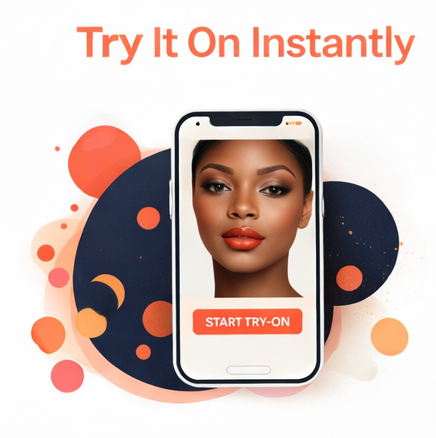
2. Open the Try-On
Use your camera for live preview or switch to selfie upload inside the app.

3. Preview the Look
Test shades, compare views, and see how the product looks before deciding.
Supported Categories
Select a Beauty Product Below
The product selection section goes next. That middle section should contain the actual demo products shoppers click to launch the try-on.
DEMOProducts
-

LBW Demo Eye Liner
$8.56 Select options This product has multiple variants. The options may be chosen on the product page -

LBW Demo Concealer
$9.89 Select options This product has multiple variants. The options may be chosen on the product page -

LBW Demo Blush
$12.49 Select options This product has multiple variants. The options may be chosen on the product page -

LBW Demo Eye Lashes
$12.49 Select options This product has multiple variants. The options may be chosen on the product page -

LBW Demo Lip Liner
$8.56 Select options This product has multiple variants. The options may be chosen on the product page -

LBW Demo Eyeshadow
$12.49 Select options This product has multiple variants. The options may be chosen on the product page -

LBW Demo LipStick
$16.00 Select options This product has multiple variants. The options may be chosen on the product page -

LBW Demo Foundation
$9.89 Select options This product has multiple variants. The options may be chosen on the product page
Built for a Better Try-On Experience
Once a shopper selects a product from the middle section, the app handles the real interaction inside the demo.
Live Camera Mode
Preview supported products directly with live face tracking inside the demo.
Selfie Upload
Use selfie mode as a fallback or alternate entry inside the same app.
Product-Specific Controls
Different categories can use zoom views, preview states, and category-based controls.
Works in Browser
No separate app is required to experience the try-on demo.
Demo Screens
Real Interface Examples
These are examples of the actual modal-based try-on interface used throughout the demo.


Ready to Start the Try-On?
Choose any supported product from the middle section and launch the demo experience.
Back to Product Selection